
Download PrintMyFonts – Free Font Preview, Print & Export Tool
Overview
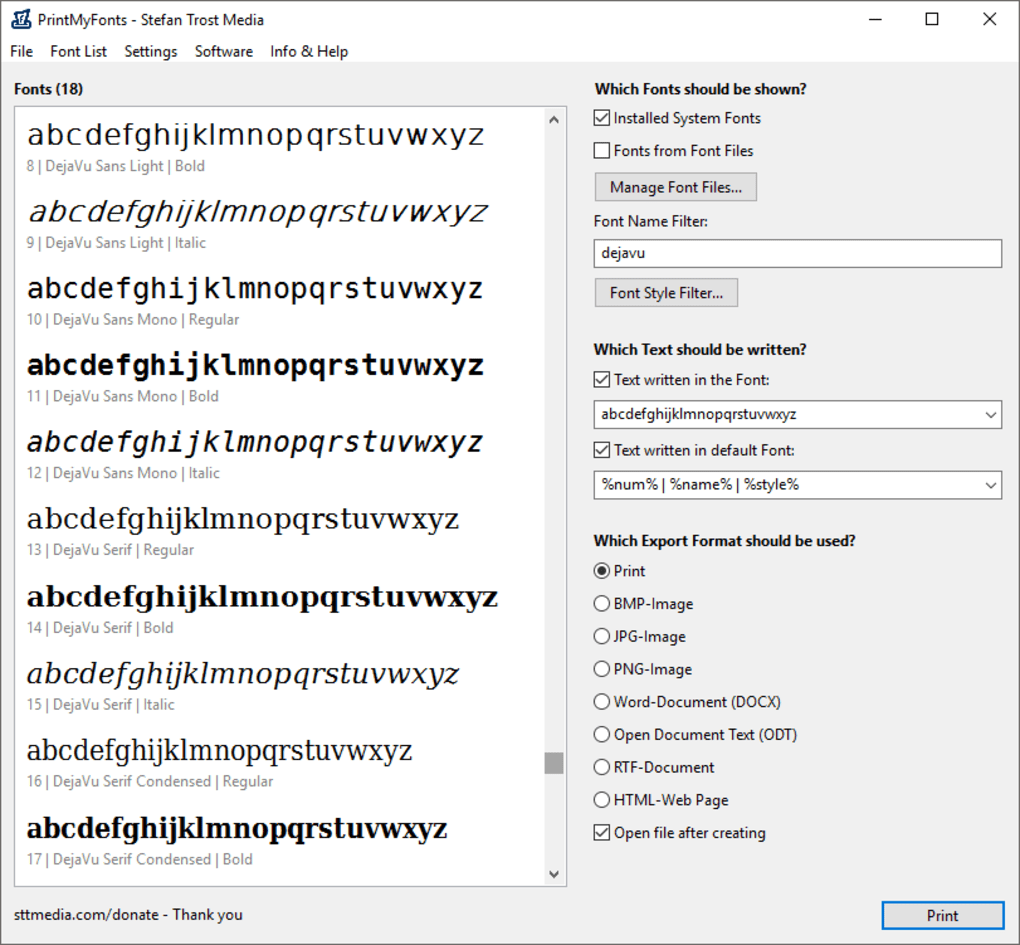
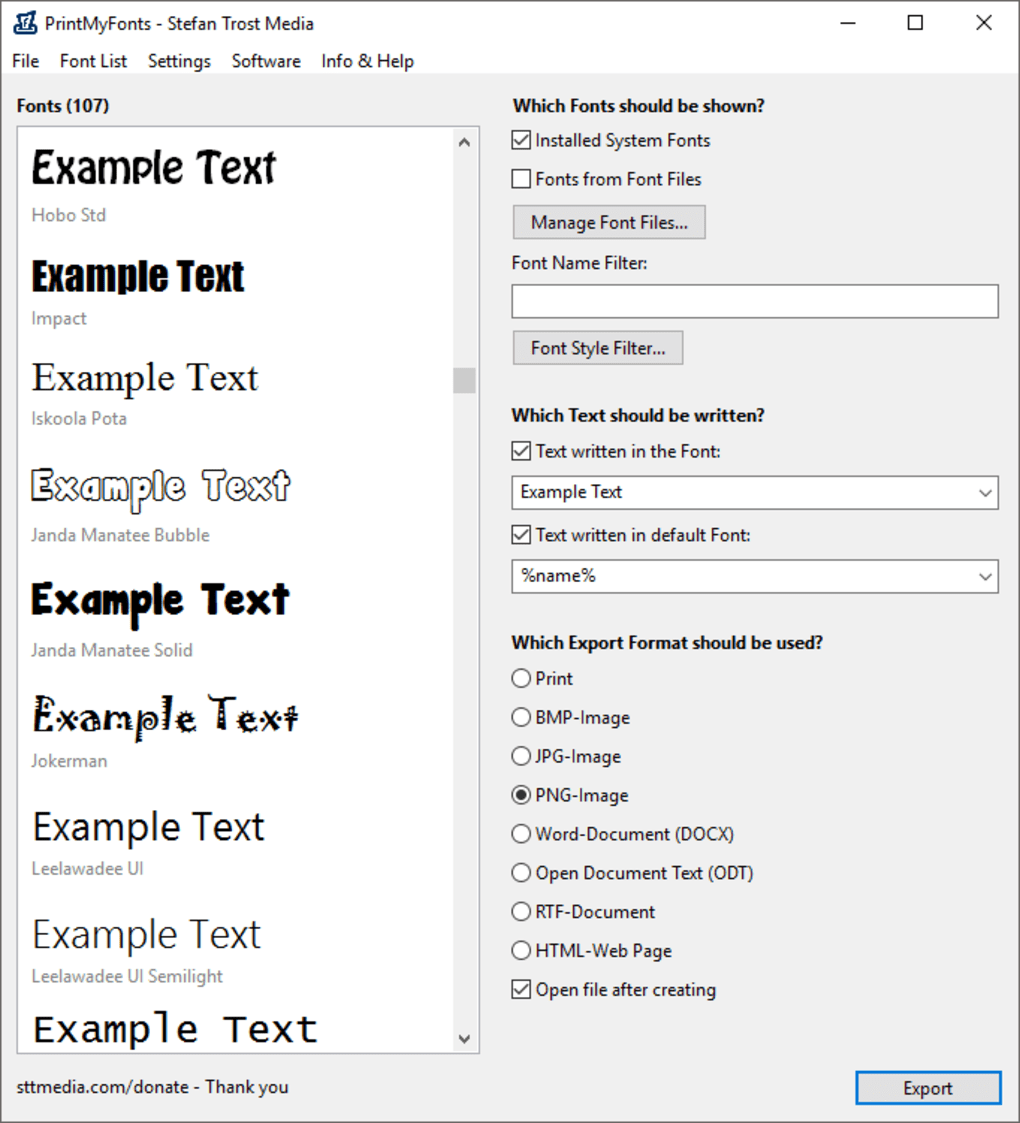
PrintMyFonts is a lightweight, portable font‑previewing utility created by Stefan Trost Media. Designed for Windows desktop environments, the program lets you browse every typeface installed on your computer—whether it’s a system font that came with Windows or a third‑party font you added yourself. Unlike many font managers that require a steep learning curve, PrintMyFonts adopts a clean dual‑pane layout: the left pane lists all available fonts, while the right pane offers filters, custom sample text, style toggles, and instant printing or exporting options.
The tool does not ship with any fonts of its own; instead, it acts as a “window” onto the fonts already present on your machine, making it ideal for designers, typographers, and anyone who needs a quick visual reference before committing a typeface to a project. PrintMyFonts is completely free, runs without installation, and supports export to common image formats, rich‑text documents, or HTML snippets, ensuring that the preview you create can be reused across other applications. While the program handles the majority of TrueType and OpenType fonts flawlessly, some highly stylized or non‑standard fonts may not render perfectly—a limitation shared by most lightweight preview tools.
Overall, PrintMyFonts offers a fast, secure way to evaluate and print font samples without the bloat of full‑featured font managers.
Key Features & What Sets PrintMyFonts Apart
- Portable, zero‑install design – run directly from a USB stick.
- Dual‑pane interface: left pane for font list, right pane for preview controls.
- Dynamic filtering – view system fonts, user‑installed fonts, or both.
- Custom sample text entry with support for letters, numbers, and symbols.
- Style modifiers: bold, italic, underline, and case switching.
- One‑click printing of selected font samples to any connected printer.
- Export options include PNG, JPEG, BMP, PDF, RTF, and HTML.
- Search‑as‑you‑type font name lookup for rapid navigation.
- Lightweight footprint – under 2 MB download size.
- Free for personal and commercial use with no hidden fees.
Pros
- Instant, no‑install access to all local fonts.
- Intuitive UI that requires virtually no training.
- Fast printing and export workflow saves time on design approvals.
- Works with both TrueType and OpenType formats.
- Completely free and regularly updated for Windows compatibility.
Cons
- Limited to Windows; no native macOS, Android, or iOS version.
- Does not include a built‑in font library – relies on locally installed fonts.
- Highly decorative or variable fonts may not render perfectly.
- No advanced typography features such as kerning previews.
PrintMyFonts delivers exactly what its name promises: a quick, reliable way to preview, print, and export font samples without the overhead of a full‑blown font manager. Its portable nature makes it perfect for designers who work across multiple machines or need to carry a lightweight toolkit on a USB drive. While it lacks the deep typographic controls of premium tools, the simplicity and speed more than compensate for the missing features, especially for everyday design tasks.
Installation, Usage & Compatibility
Getting started with PrintMyFonts is intentionally straightforward. Because the program is portable, there is no traditional installer. Follow these steps to download and run the utility:
- Download the ZIP package from the official Stefan Trost Media site or a reputable software repository.
- Extract the contents to a folder of your choice—your desktop, a project directory, or a USB flash drive.
- Launch
PrintMyFonts.exe. The application will open instantly, displaying the left‑hand font list.
Once the program is open, the workflow is designed to be as frictionless as possible:
- Filter fonts using the dropdown at the top of the right pane. Choose “System Fonts,” “Installed Fonts,” or “All Fonts” to narrow the view.
- Search for a specific typeface by typing its name into the search box—results appear in real time.
- Enter custom sample text in the large text field. You can toggle the “Numbers Only” option if you only need numeric glyphs.
- Apply styles such as bold or italic using the checkboxes beneath the sample text box. The preview updates instantly.
- Print by clicking the printer icon; select your desired printer and paper settings, then hit “Print.”
- Export by clicking the floppy‑disk icon. Choose from PNG, JPEG, BMP, PDF, RTF, or HTML. The exported file contains the exact visual representation you saw in the preview pane.
The tool is built for Windows 7, 8, 10, and 11 (both 32‑bit and 64‑bit). Because it is a portable .exe, it runs without admin rights, making it suitable for corporate environments with strict software policies. While there is no native macOS, Linux, Android, or iOS version, Windows users can run the program under compatibility layers such as Wine if needed. Updates are released periodically; the download page includes a changelog that lists bug fixes and compatibility tweaks for newer Windows releases.
Frequently Asked Questions (FAQ)
Is PrintMyFonts really free?
Yes, PrintMyFonts is completely free for both personal and commercial use. There are no hidden fees, trial periods, or paid upgrades.
Can I preview fonts that are not installed on my PC?
PrintMyFonts only works with fonts that are already installed on your system. It does not load external font files directly, but you can install a font temporarily (right‑click → Install) and then view it in the program.
What file formats can I export to?
Export options include PNG, JPEG, BMP, PDF, RTF, and HTML. Choose the format that best fits your downstream workflow, whether it’s a web mock‑up or a printable PDF.
Does PrintMyFonts support variable fonts?
Variable fonts are displayed, but the program does not expose the full range of axis controls (weight, width, etc.). You’ll see a static instance of the variable font.
Is there a way to batch‑print multiple font samples?
PrintMyFonts prints only the currently selected preview. For batch printing, you would need to generate individual samples and print them sequentially, or use a dedicated batch‑printing script.
Conclusion & Call to Action
PrintMyFonts fills a niche that many designers overlook: a quick, portable, and free method to preview, print, and export the exact look of any font installed on a Windows machine. Its minimalist design eliminates distractions, allowing you to focus on the type itself. While it lacks advanced typographic features and cross‑platform support, the core functionality is solid, reliable, and perfectly suited for everyday design tasks, client approvals, or educational settings. If you need a hassle‑free way to showcase fonts without committing to a heavyweight font manager, download PrintMyFonts today and streamline your typography workflow.
Click here to download PrintMyFonts – free, secure, and ready to use!







